Google Maps Gas Calculator
A Google Maps gas calculator combines the powerful distance calculation features of Google Maps with fuel cost estimation, helping drivers budget their travel expenses before hitting the road. While Google Maps does not include a built-in gas cost calculator, its accurate distance data serves as the foundation for calculating fuel expenses for any trip. By combining Google Maps driving distance with your vehicle's fuel efficiency and current gas prices, Google Maps Gas Calculator methodology allows you to estimate exactly how much fuel your trip will cost.
Whether you are planning a daily commute, a weekend road trip, or a long-distance journey across the country, knowing your estimated gas costs in advance helps you plan your budget more effectively and avoid unexpected expenses.
How to Calculate Gas Costs Using Google Maps
Estimating fuel costs with Google Maps involves a simple three-step process:
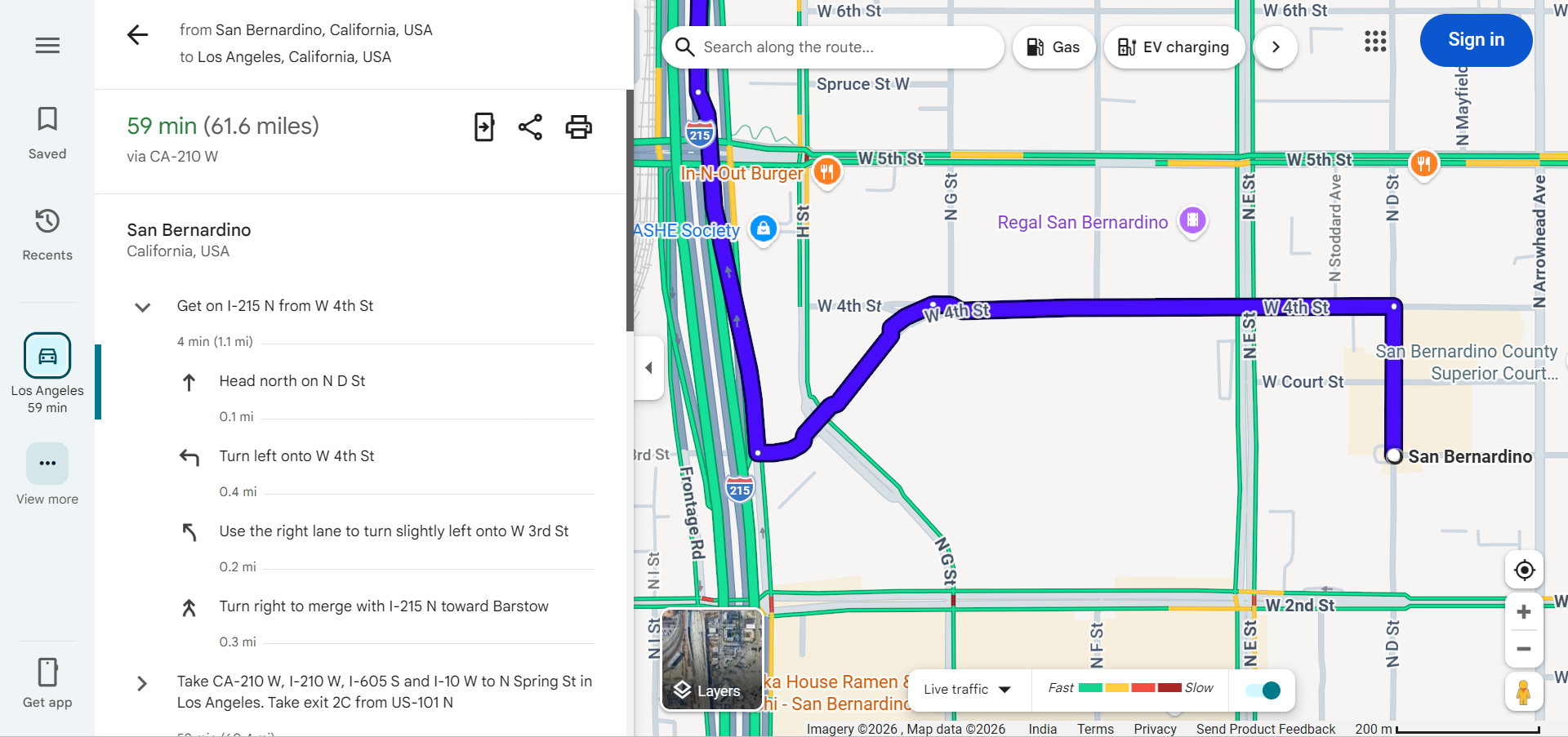
Step 1: Get the Driving Distance
- Open Google Maps and enter your starting location and destination.
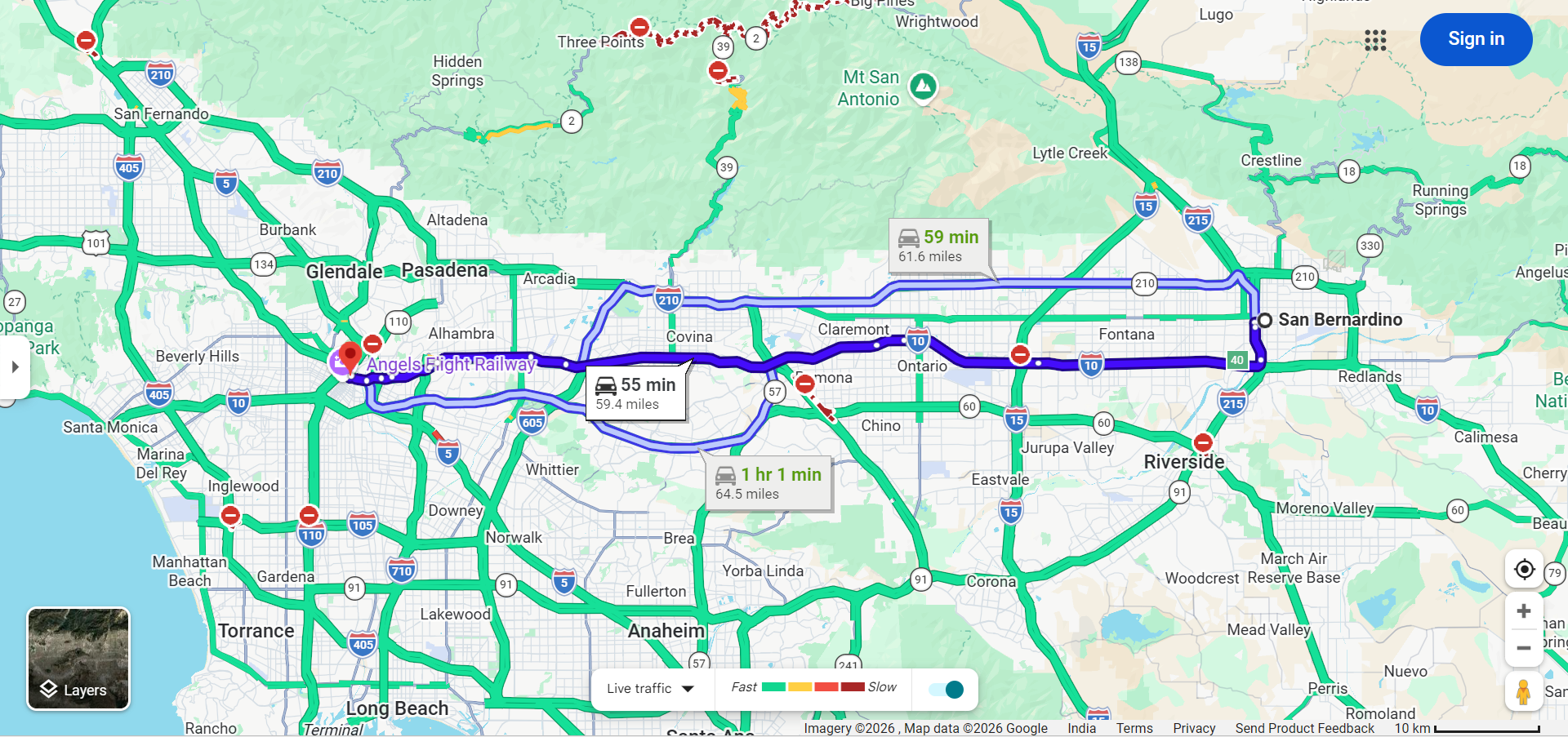
- Select the driving mode and review the suggested routes.
- Note the total driving distance in miles or kilometers for your preferred route.
- For multi-stop trips, add all waypoints to get the complete trip distance.
Step 2: Know Your Vehicle's Fuel Efficiency
You need to know your vehicle's fuel efficiency, typically expressed as:
- Miles per gallon (MPG) — Common in the United States and UK
- Liters per 100 kilometers (L/100km) — Common in Canada, Europe, and Australia
- Kilometers per liter (km/L) — Used in some Asian countries
You can find your vehicle's fuel efficiency in the owner's manual, on the manufacturer's website, or through fuel economy databases like fueleconomy.gov.
Step 3: Calculate the Fuel Cost
Use this simple formula:
Fuel Cost = (Trip Distance ÷ Vehicle MPG) × Price per Gallon
Example: If your trip is 300 miles, your car gets 30 MPG, and gas costs $3.50 per gallon:
Fuel Cost = (300 ÷ 30) × $3.50 = 10 gallons × $3.50 = $35.00
Finding Gas Prices on Google Maps
Google Maps can help you find current gas prices to use in your calculations:
- Search for "gas stations" or "petrol stations" near your location or along your route.
- View fuel prices displayed alongside each gas station listing. Prices are sourced from various data providers and user reports.
- Compare stations to find the cheapest fuel along your planned route.
- Filter by fuel type to see prices for regular, mid-grade, premium, or diesel fuel.
Factors That Affect Gas Costs
Your actual fuel costs may differ from the calculated estimate due to several variables:
- Driving Conditions — City driving with frequent stops typically uses 15-30% more fuel than highway driving due to constant acceleration and braking.
- Traffic Congestion — Stop-and-go traffic significantly increases fuel consumption compared to steady-speed driving.
- Speed — Driving above 55-60 mph reduces fuel efficiency. Every 5 mph above 50 mph is roughly equivalent to paying an additional $0.20 per gallon of gas.
- Vehicle Load — Carrying heavy cargo or pulling a trailer increases fuel consumption. Every extra 100 pounds reduces MPG by approximately 1-2%.
- Terrain — Mountain driving and hilly terrain consume more fuel than driving on flat roads due to increased engine demands on inclines.
- Weather and Temperature — Cold weather reduces fuel efficiency by up to 15% for short trips. Air conditioning use in hot weather also increases fuel consumption.
- Tire Pressure — Underinflated tires increase rolling resistance and can reduce fuel efficiency by up to 3%.
Gas Calculator for Different Vehicle Types
Fuel costs vary significantly depending on your vehicle type:
- Compact Cars — Typically achieve 30-40 MPG, making them the most economical for long-distance trips.
- Sedans — Average 25-35 MPG, offering a balance between comfort and fuel efficiency.
- SUVs — Range from 18-28 MPG depending on size, with larger SUVs consuming significantly more fuel.
- Trucks — Typically get 15-22 MPG, with fuel costs being a major consideration for long trips.
- Hybrid Vehicles — Achieve 40-60 MPG by combining electric and gas power, dramatically reducing fuel costs.
- Electric Vehicles — While they don't use gas, electricity costs can be calculated using miles per kWh and local electricity rates.
Tips for Reducing Gas Costs
- Choose Efficient Routes — Use Google Maps to compare route options and select the one with the least traffic and most highway driving.
- Maintain Steady Speed — Use cruise control on highways to maintain consistent speed and maximize fuel efficiency.
- Fuel Up Strategically — Use Google Maps to find the cheapest gas stations along your route rather than fueling at the first station you see.
- Avoid Peak Traffic — Use Google Maps traffic predictions to travel during off-peak hours, reducing the fuel waste of stop-and-go driving.
- Keep Your Vehicle Maintained — Regular maintenance including proper tire inflation, clean air filters, and timely oil changes helps maintain optimal fuel efficiency.
- Minimize Idling — Turn off your engine if you expect to wait more than 60 seconds. Idling wastes fuel without covering any distance.
Frequently Asked Questions
- Does Google Maps have a built-in gas calculator? — No, Google Maps does not include a dedicated gas cost calculator. However, you can use its distance data combined with your vehicle's MPG and current gas prices to calculate fuel costs manually.
- How accurate are gas cost estimates based on Google Maps? — Distance-based fuel estimates are generally quite accurate. The main variables are actual driving conditions and real-time fuel efficiency, which can vary from the rated MPG.
- Can Google Maps show gas stations along my route? — Yes, you can search for gas stations on Google Maps and it will show stations near your location or along your planned route with current fuel prices.
- How do I calculate gas costs for a round trip? — Simply double the one-way distance from Google Maps and use that in your calculation, or calculate the return trip separately if taking a different route.